Why staying on SharePoint Server won’t protect you — and the three steps every organisation should take right now.
There’s a belief I keep hearing from organisations who still run SharePoint On-Prem:
“We don’t need to worry about InfoPath retiring because we’re not moving to the cloud.”
I get why people say it, but it’s also completely wrong — and it’s putting those businesses in a very risky position.
Whether you’re on SharePoint 2010, 2013, 2016, 2019, or Subscription Edition, the reality is the same:
InfoPath is reaching end of life in July 2026, and staying On-Prem doesn’t freeze time.
After that date, the technology simply isn’t supported anywhere. And unsupported software in a business-critical process is a ticking bomb.
Let’s look at why.
Why On-Premises InfoPath Is More Fragile Than It Looks
No security patches. No fixes. No safety net.
Once the retirement date lands, that’s it.
No patches for vulnerabilities.
No compatibility updates.
No response from Microsoft when something breaks — and it will.
A future Windows update, a SharePoint CU, a .NET change, a new browser version, a TLS hardening policy… anything in that stack could break InfoPath overnight. And you won’t have a vendor to escalate to.
Modern environments will outgrow InfoPath fast.
Remember: InfoPath was built in the Internet Explorer era.
The world has moved on.
Every new browser release, every identity update, every push toward modern security standards chips away at InfoPath’s stability. Even if you never move to Microsoft 365, your infrastructure keeps evolving. InfoPath doesn’t.
Compliance will become a problem.
Unsupported, unpatched software holding personal or sensitive data is a red flag for auditors.
GDPR, ISO 27001, SOC 2, HIPAA — none of these frameworks look kindly on a form system that’s past end of life.
And then there’s the “one person who still understands InfoPath” issue.
Most organisations have a few people who still know how their InfoPath forms work.
When they move on, retire… the business is stuck with a system nobody can maintain.
None of this is sustainable.
So what should organisations do today?
You don’t have to rebuild everything overnight.
But you do need to take practical steps now to protect your data and keep processes running.
Here are the three options — from minimum safety measures to full modernisation.
1. The Minimum: Convert All InfoPath XML to PDF
If you do nothing else, do this.
Many organisations don’t realise how vulnerable their InfoPath Form Libraries are. If InfoPath stops rendering tomorrow, the XML becomes unreadable. Years of submissions — gone.
By converting the XML to PDF using The Lightning Tools Form Migrator, you immediately create:
- a permanent, human-readable record of every submission
- an archive that doesn’t depend on InfoPath to open
- future access for audits, HR cases, legal requests, etc.
This doesn’t modernise your forms.
But it does protect your historic data — which is more critical than most people think.
2. Modernise On-Prem: Lightning Forms + SharePoint Lists
Here’s something many companies don’t know:
Lightning Forms works in SharePoint On-Prem (2016, 2019, and SE).
This means you can stay On-Prem and still remove every InfoPath dependency.
The steps are straightforward:
- Migrate the form design to Lightning Forms with The Form Migrator
- Migrate the InfoPath XML into SharePoint list items
- Retire InfoPath Forms Services completely
You get:
- a modern, supported form experience
- business logic that’s easy to maintain
- data stored cleanly in lists (not buried in XML)
- a platform you can actually support
- the option to move to Microsoft 365 later without heavy redesign
This is the safest route for organisations who genuinely want to remain On-Prem for now.
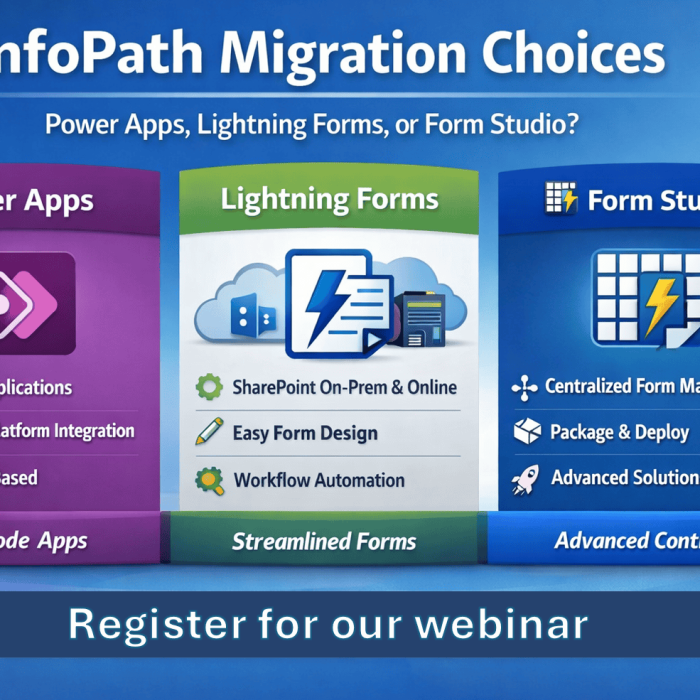
3. Move to SharePoint Online: Power Apps or Lightning Forms
If your roadmap includes Microsoft 365 — now or in the future — then this is the moment to modernise properly.
Your options are:
Power Apps
Ideal for organisations already invested in the Power Platform.
Lightning Forms for SharePoint Online
Perfect when you need:
- simpler, faster form design
- cleaner layouts
- more control
- a smoother learning curve
- easier deployment across multiple sites
And during the move, the InfoPath XML can be migrated into SharePoint List Items.
No data loss, no unreadable XML.
In Summary: Doing Nothing Isn’t Neutral — It’s a Risk Decision
Every organisation relying on InfoPath On-Prem is carrying increasing risk as we approach 2026. Not because Microsoft Online is changing, but because the broader ecosystem will continue evolving while InfoPath stands still.
The responsible approach is:
| Priority | Action | Why it matters |
|---|---|---|
| Immediate | Convert XML → PDF | Guarantees historic data access even if InfoPath fails tomorrow |
| Next Step | Move form design to Lightning Forms (On-Prem) + migrate XML to lists | Removes InfoPath risk while keeping your On-Prem strategy intact |
| Future-proof | Move to SharePoint Online with Power Apps or Lightning Forms | Long-term stability, security, and modernisation |