As we close out 2025, it’s worth recognising just how much has been delivered across the Lightning Tools portfolio. Our products are mature, feature-rich, and in many cases the result of almost two decades of continuous development. Throughout the year, we shipped significant new capabilities, expanded existing features, and refined performance and usability across the board. The outcome is a stronger, more capable product suite that continues to deliver real business value across governance, automation, forms, content aggregation, and collaboration in Microsoft 365.
Looking ahead to 2026, the focus sharpens even further: automation, AI-assisted configuration, compliance at scale, and cost-aware Microsoft 365 management.
Below is a product-by-product look at what we delivered in 2025—and what you can expect next. You can also explore the wider direction on our Product Roadmap page.
DeliverPoint
SharePoint Permissions Management, Compliance — and Now Storage Intelligence

What we delivered in 2025
DeliverPoint made a major leap forward this year with Sensitivity Label reporting and bulk management and Permissions Auditing.
One of the biggest gaps in SharePoint today is that sensitivity labels can only be applied one item at a time. That’s not realistic at scale—and if labels are missed, sensitive content can be overshared internally or externally. With Microsoft 365 Copilot, content that has been shared with you, could be used to answer your questions. It’s critical to ensure that sensitive content is not served by Copilot and sensitivity labels help with that.
With DeliverPoint, Site Owners can now:
- Instantly report on content missing sensitivity labels
- Bulk assign sensitivity labels across libraries
- Schedule sensitivity label assignment to stay compliant over time
DeliverPoint dramatically improves both Copilot readiness and day-to-day SharePoint permissions management.
What’s coming in 2026
In 2026, DeliverPoint expands beyond permissions and compliance into storage management—a new premium feature.
Data isn’t free. It’s expensive to store, costly to manage, and increasingly problematic from an environmental perspective as data centres struggle with energy demands.
With DeliverPoint, Administrators and Site Collection Administrators will be able to:
- Report on duplicate files
- Identify files with excessive versions
- Find large files not accessed for months or years
- Remove duplicates and clean up unnecessary file versions
You’ll be surprised how often a file becomes 100× larger than it needs to be simply due to version sprawl.
👉 We’re showcasing this feature in our webinar on 29 January 2026 at 3pm GMT. Register Here
Form Migrator
The End of InfoPath is six months away! Lightning Tools Form Migrator helps you to scan, identify, migrate form design, and migrate your XML data.

What we delivered
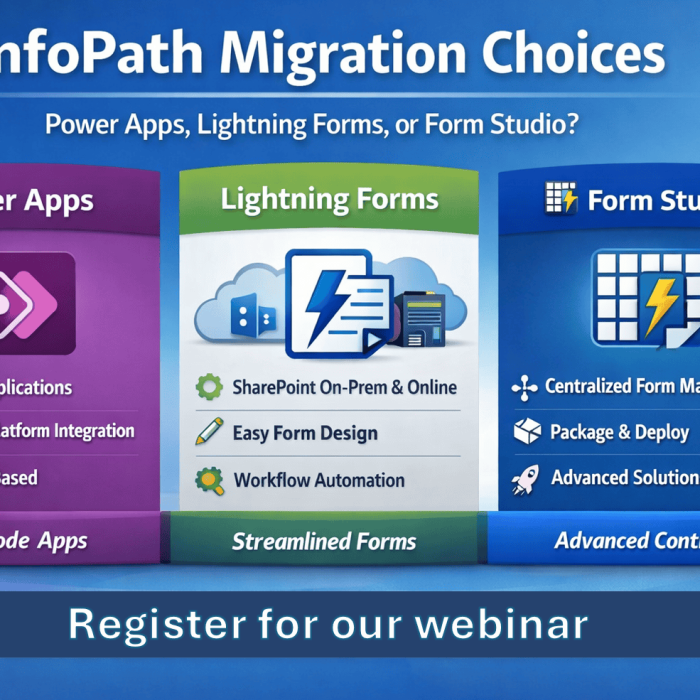
InfoPath’s retirement is no longer theoretical—it’s happening just over six months from now! In 2025, we released the Lightning Tools Form Migrator as a desktop application allowing form design and data to be migrated within the boundaries of your network.
With Form Migrator, you can:
- Discover all InfoPath forms and form libraries within SharePoint On-Premises or SharePoint Online.
- Migrate form designs to the platform of your choice
- Power Apps
- Lightning Forms
- Skybow
- Nintex
- Migrate XML data into:
- SharePoint Lists
- Dataverse
- Nintex Workflow Cloud
- PDF files
Supported destinations include Power Apps, Lightning Forms, skybow, and more. If you’re running a legacy Nintex environment, we can help with that too.
Even organisations staying on-premises aren’t safe—unsupported software is a compliance risk. We can migrate InfoPath forms to Lightning Forms on SharePoint 2016, keeping you supported and compliant. Read more here: InfoPath End of Life 2026: The Risks of Staying On-Prem
What to expect next
In 2026, our focus remains on helping any organisation using InfoPath to migrate their data and form designs in an efficient, compliant manner.
Lightning Forms
Empowering Business Users to contextually build powerful forms in SharePoint to support their business processes.

What we delivered in 2025
Lightning Forms took a major step forward with secure external data lookups.
You can now connect forms to systems like:
- Salesforce
- SQL
- Oracle
- Other external data sources
All powered securely via Copilot connectors, giving business users richer forms without compromising security.
What’s coming in 2026
We’re introducing an AI-Assisted Expression & CAML Builder.
Lightning Forms is built for business users. Most of the time, no code or complex logic is needed—but when it is, documentation alone can’t cover every scenario.
The AI assistant will:
- Help build expressions and CAML logic
- Explain what’s happening in plain language
- Accelerate form development without guesswork
Throughout 2026, we’ll be evolving Lightning Forms to help business users to intuitively build business forms to support their departmental business processes with ease.
Lightning Tools Actions
Turning SharePoint List Views and SharePoint Pages into Powerful Workflows

What we delivered in 2025
Lightning Tools Actions already enables bulk actions across list items and documents—approvals, updates, records management, and more.
In 2025, we introduced the Lightning Tools Actions Web Part.
For intranets, this is a game-changer. Instead of using the Quick Links web part, you can now build buttons and tiles that:
- Open specific forms
- Send emails
- Update items
- Trigger multiple actions at once
What’s coming in 2026
This year’s focus is refinement and expansion, including:
- Enhanced Send Email actions
- Guest user support
- Additional action improvements across the board
Lightning Tools Actions makes it simple to add logic to your SharePoint lists, Document Libraries and SharePoint pages. We’ll continue to empower business users to intuitively build workflows throughout 2026.
Lightning Tools Forms Studio
Centralised Form Design and Workflow with Packaging and Deployment

What we delivered
Forms Studio is Lightning Forms taken to an enterprise level—designed for solution architects and governed environments.
In 2025, we delivered:
- AI Helper Chat
- Provisioning of Language Settings
- Provisioning of SharePoint Agents
- Deployment as a Global Teams App
What’s coming in 2026
Forms Studio continues to accelerate with:
- Signature integration without code
- AI-Assisted Expression & CAML Builder
- SharePoint Server SE integration
- Even more enterprise deployment and governance capabilities
If you’re building form solutions at scale, Lightning Tools Forms Studio provides the powerful form design, scheduled & triggered actions, document generation, and package and deployment.
Lightning Conductor & Data Viewer
Microsoft 365 Content Aggregation & Reporting

What we delivered in 2025
Lightning Conductor remains one of the most powerful content aggregation tools for SharePoint and Microsoft 365.
You can aggregate:
- Lists and libraries
- Pages and news
- External content via Copilot connectors
- Microsoft 365 Graph entities (Planner, To Do, OneDrive)
In 2025, we focused on polish and usability, including:
- Improved calendar views
- Tabbed views
- Transparent backgrounds for modern intranets
- Enhanced term store filtering
The Data Viewer continued to evolve alongside it—turning aggregated content into meaningful charts and dashboards.
What’s coming in 2026
This year is all about simplification and intelligence:
- AI-assisted configuration
- Discovery of SharePoint Agents
- Visibility into agent source content
- New and improved charting in Data Viewer
A lot of time is wasted by business users looking for content, and then recreating it when they can’t find what they’re looking for. The Lightning Conductor provides aggregation of content from across Microsoft 365 to display the dynamic content that you need to see and access easily.
Social Squared
Structured Conversations in SharePoint or Teams Discussion Boards.

What we delivered in 2025
Social Squared continues to stand out as a structured discussion platform for SharePoint and Teams.
This year’s focus was on:
- Modernised UI and transparent backgrounds
- New views for exploring discussions
- A cleaner, more contemporary experience
What’s coming in 2026
Social Squared is becoming Copilot-aware.
We’re introducing:
- Integration with Microsoft 365 Copilot
- Support for SharePoint Agents using Social Squared as a knowledge source
- Improved reporting and activity analytics
Social Squared provides improved communication and verified answers to your questions in a structured, searchable way allowing answers to questions to be discovered easily even months or years down the road. Empowering Copilot with this content makes for a very powerful scenario.
Looking Ahead
2025 marked a year of meaningful delivery across the Lightning Tools portfolio, with significant enhancements that strengthen governance, automation, and readiness for AI-driven workloads.
In 2026, the focus continues giving organisations greater visibility, stronger control, and smarter tooling across Microsoft 365. From Copilot-aligned compliance and AI-assisted configuration to storage intelligence and governed automation, everything we’re building is designed to help customers manage Microsoft 365 with confidence at scale.
👉 To see how this continues to evolve, explore our Product Roadmap and keep an eye out for upcoming webinars and releases throughout the year.