Migrate InfoPath & Legacy Forms to Modern Solutions | Lightning Forms Migrator Webinar

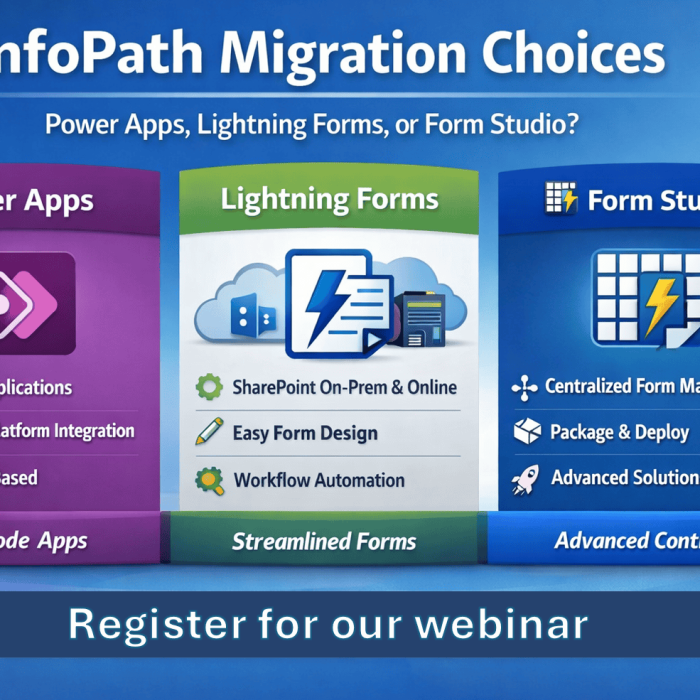
In this webinar, Brett Lonsdale (Microsoft 365 MVP) and Founder & CEO of Lightning Tools, walks you through how to migrate InfoPath, PDF, Word, and Excel forms to modern solutions like Power Apps, Lightning Forms and Lightning Tools Form Studio. With Microsoft’s end-of-service announcement for InfoPath (July 2026), now is the time to upgrade to a secure, compliant, and feature-rich alternative.
  • Home
  • Webinar
  • Migrate InfoPath & Legacy Forms to Modern Solutions | Lightning Forms Migrator Webinar

In this webinar, Brett Lonsdale (Microsoft 365 MVP) and Founder & CEO of Lightning Tools, walks you through how to migrate InfoPath, PDF, Word, and Excel forms to modern solutions like Power Apps, Lightning Forms and Lightning Tools Form Studio. With Microsoft’s end-of-service announcement for InfoPath (July 2026), now is the time to upgrade to a secure, compliant, and feature-rich alternative.

What You’ll Learn in This Webinar:

✅ Why Migrate from InfoPath? – Understanding the risks of outdated forms and Microsoft’s deprecation timeline.

✅ Migrating Legacy Forms – Converting InfoPath, PDF, Word, Excel, and Nintex forms to modern solutions.

✅ Preserving Your Data – Ensuring seamless migration while maintaining historical records for legal & compliance needs.

✅ Live Demo: Lightning Form Migrator – See how we migrate an InfoPath form into a modern SharePoint-based solution.

✅ Introducing the AI-Powered Form Pilot – How to use AI to create modern SharePoint forms effortlessly.

✅ Using Lightning Forms & Form Studio – Deep dive into SharePoint form automation and workflows.

✅ Q&A Session – Answering your burning questions about InfoPath alternatives.

Related Posts
Clear Filters

InfoPath isn’t just deprecated — it’s becoming a growing risk. In this webinar, Brett Lonsdale (Microsoft 365 MVP) explains how InfoPath Form Libraries store data as XML, why that’s a problem, and demonstrates real-world migration options for SharePoint On-Premises and SharePoint Online using Power Apps, Lightning Forms, and PDFs.

Learn how we built a complete Security Incident Reporting Solution inside SharePoint using Lightning Tools Forms Studio — including forms, automation, document generation, and deployment — all in under an hour. Watch the full recorded webinar.

Add Comment