

Microsoft has announced that the “Visualize the List” and “Visualize the Library” options in SharePoint will be retired next month (November 2025)! These built-in features gave users a quick way to create Power BI reports directly from their lists and libraries without leaving SharePoint.

SharePoint’s standard lookup column only lets you connect lists within the same site—useful, but limited. With the latest release of Lightning Forms and Forms Studio, you can now create lookup fields that pull data from external systems like SQL, JIRA, and Salesforce using Copilot Connectors. In this post, I’ll show you how we built a Helpdesk Issues form that pulls related issues directly from JIRA, and explain the difference between Lightning Forms and Forms Studio.

Lightning Tools Forms Studio is more than a form builder—it’s a complete solution builder for SharePoint and a cost-effective Power Platform alternative. Design custom forms, automate approvals and actions, package and redeploy solutions, and even migrate legacy InfoPath or Nintex forms with ease.

Oversharing in SharePoint is a growing challenge for Site Owners and Admins. In this webinar, Brett Lonsdale demonstrates how DeliverPoint makes SharePoint Permissions Management simple, with actionable reports, sharing link control, sensitivity label management, and bulk permission operations.
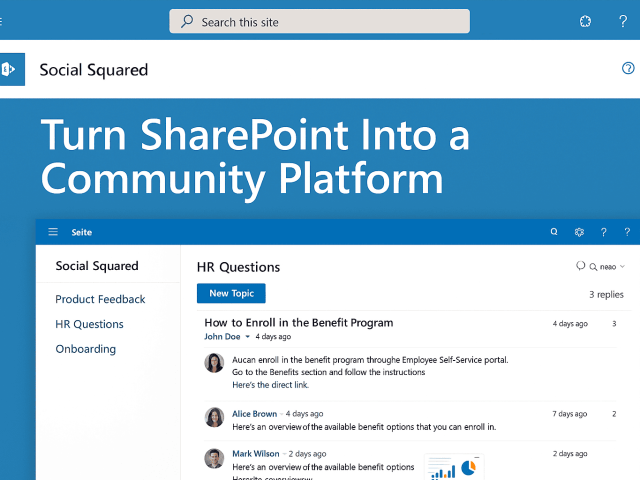
Social Squared transforms SharePoint into a structured community platform with threaded discussions, forums, and moderation tools—fully integrated with Microsoft 365 and Teams. If you’ve outgrown comments and Teams chat, this is the discussion board you’ve been looking for.

The Lightning Conductor is the ultimate SharePoint Rollup Web Part, empowering you to aggregate and display tasks, documents, news, calendars, and even external data from across Microsoft 365—all in one place. With built-in views like Grid, Calendar, Image Gallery, and Adaptive Cards, it offers unmatched flexibility for modern SharePoint intranets.

In this interview, Microsoft 365 Advisor Linda Berglund shares why she recommends DeliverPoint for SharePoint permissions management. From on-demand and scheduled reporting to permission snapshots and secure SPFx development, learn how DeliverPoint empowers Site Owners and admins to simplify governance, avoid sprawl, and stay Copilot-ready—at a fraction of the cost of SAM.

Hi, I’m Joe Storr, a student currently doing a work experience project at Lightning Tools. I’ve been exploring how businesses can use SharePoint to create dashboards and reports that actually help people do their jobs better.
As part of this, I investigated advanced charting in SharePoint vs the Quick Chart Web Part, and here’s what I discovered.

You may not have noticed it yet, but every modern SharePoint site with Microsoft 365 Copilot licenses now comes with an intelligent agent built in. It’s not something to opt into. It’s there. It’s active. And it’s quietly observing, summarizing, and preparing to assist. Welcome to the era of SharePoint Agents.