

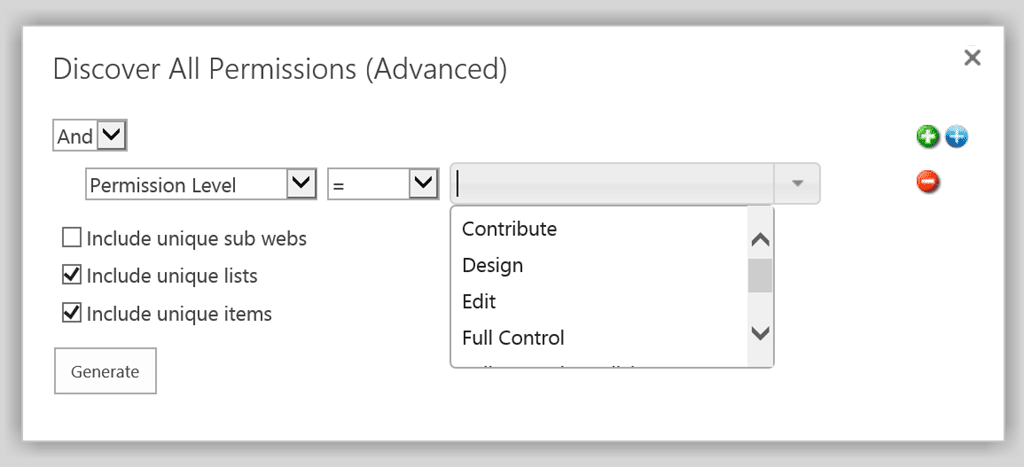
DeliverPoint 15.13.11 for SharePoint 2013 and SharePoint 2016 has been released which includes a new Advanced Discover Permissions Report. The Advanced Discover Permissions Report enables users with Full Control or Enumerate Permissions within a SharePoint Team Site, to execute a report from within the site which includes real time permission reporting on the site, each list and library, and each Folder or Item. The report can be pre-filtered to give you exactly what you are looking for. You can filter by permission level, by AD Security Group, by SharePoint Group, and by User.
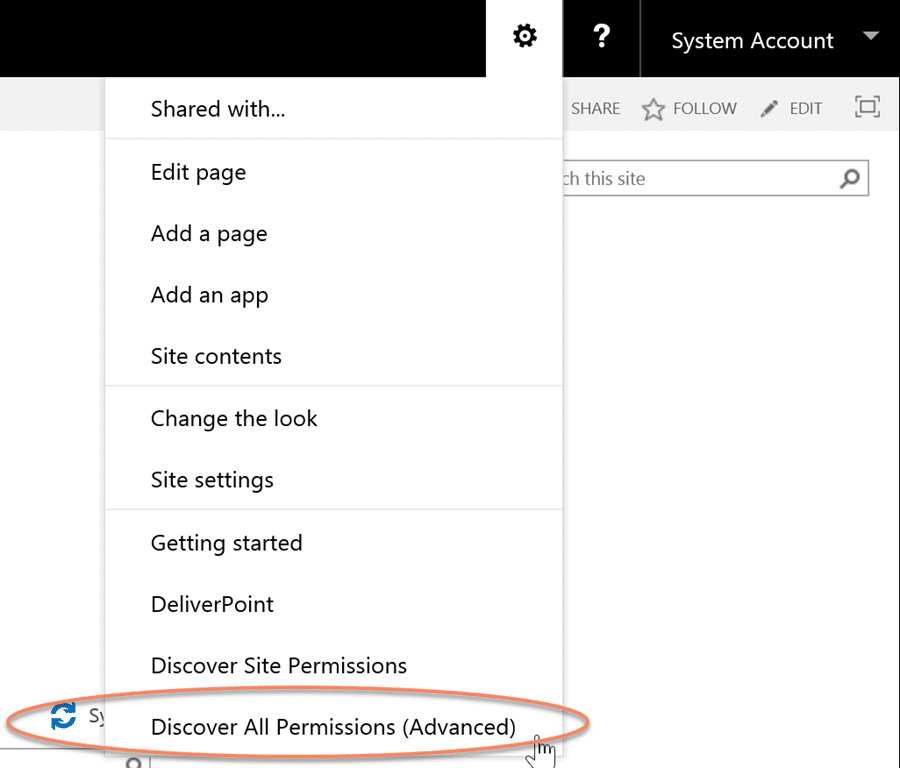
The report is executed from the Site Actions menu:
Users can choose what they would like to include in the real time permissions report:
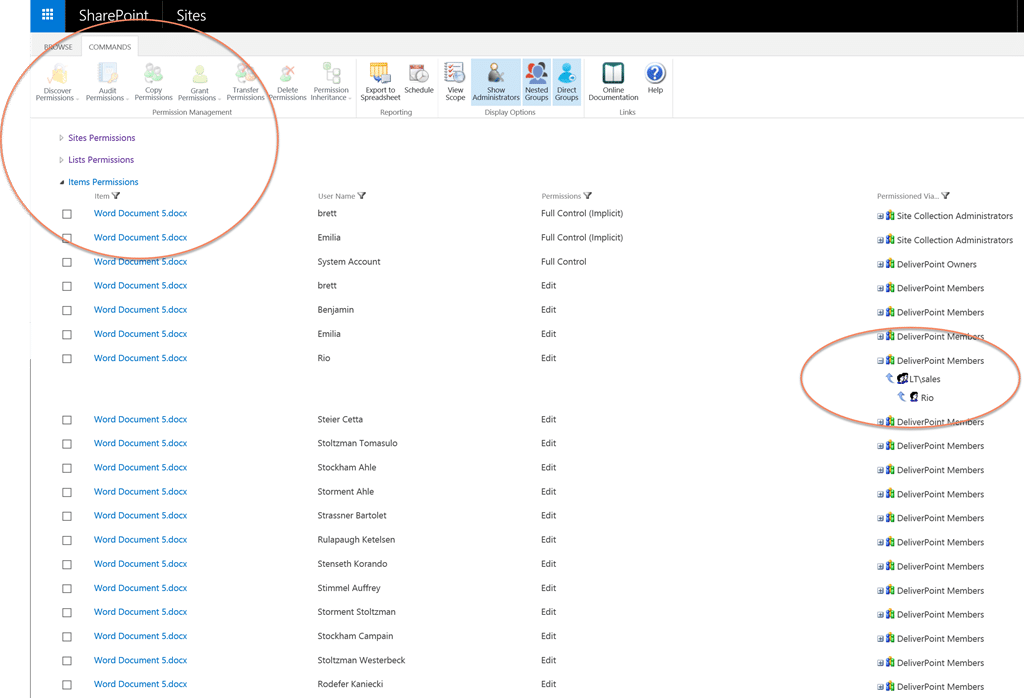
Users can expand/collapse the Site, List, and Item Permission sections. The report includes details of every user who is permissioned, what permission level they have been assigned, and also how they were assigned the permission, even if it is through an AD security group.
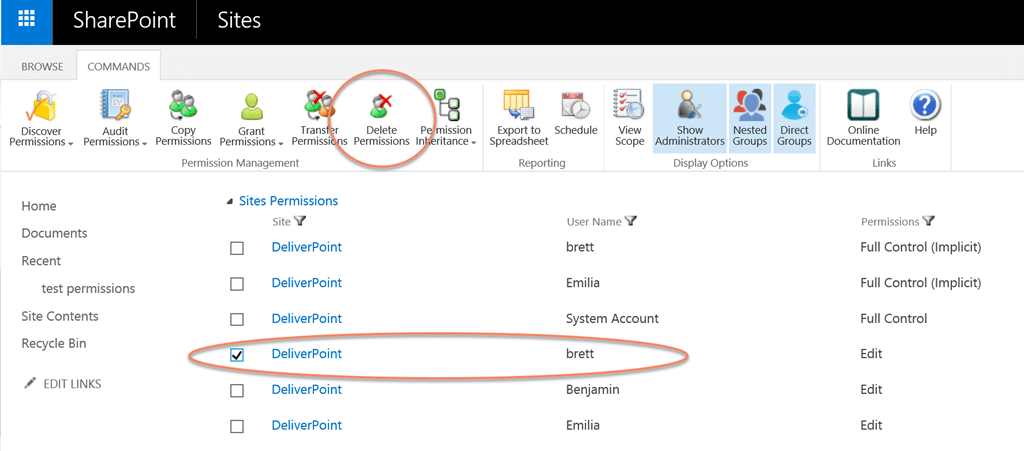
From this page, permissions can be removed, copied or transferred to other users.
Everything that the users perform will be logged in DeliverPoint auditing.
Download the new release today from: https://lightningtools.com/products/sharepoint-permissions-management/
